![topicus-keyhub-white.png]](https://portal.topicus-keyhub.com/hs-fs/hubfs/topicus-keyhub-white.png?height=50&name=topicus-keyhub-white.png)
In KeyHub
Step 1
-
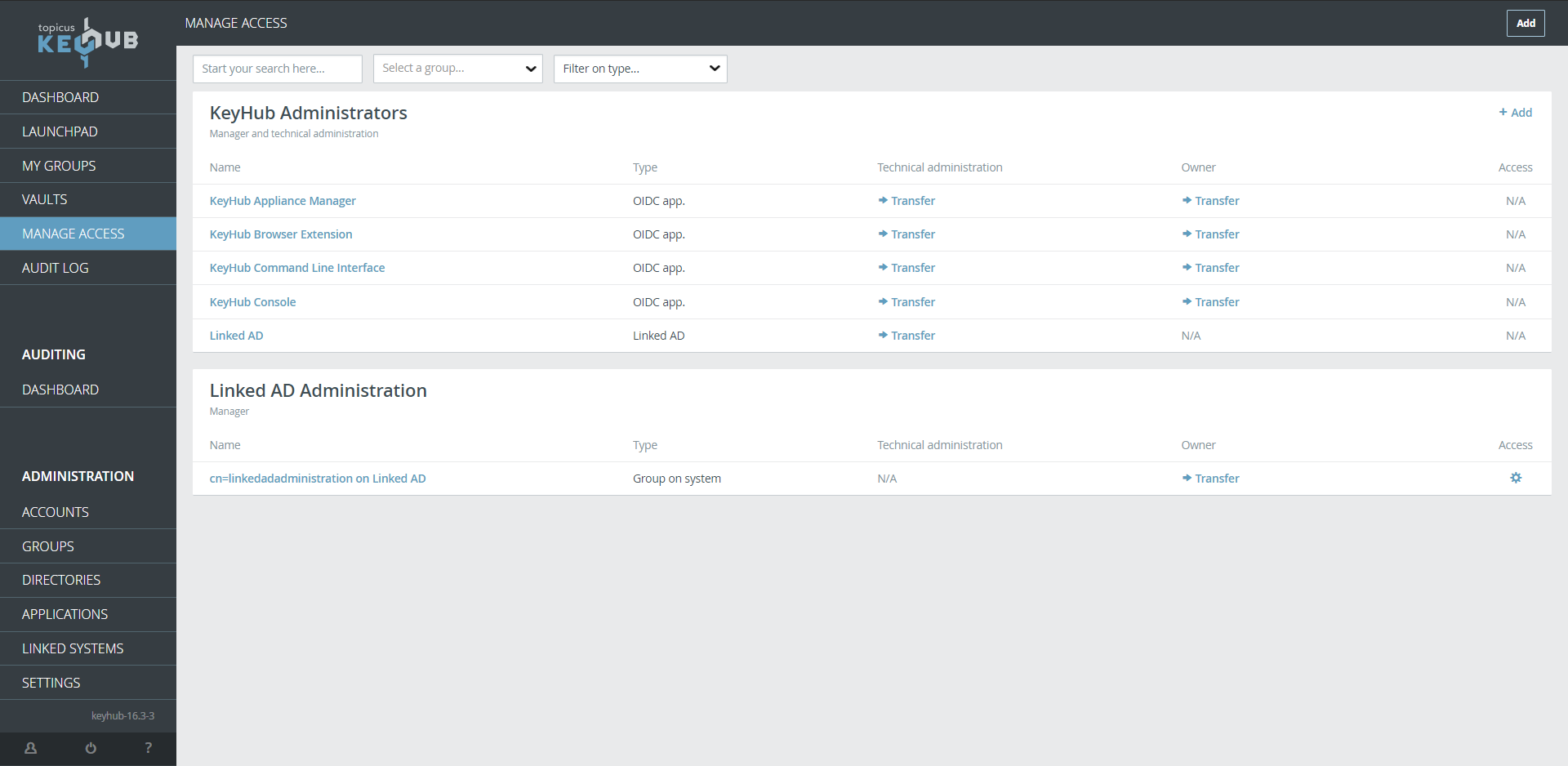
Click MANAGE ACCESS.
Step 2
-
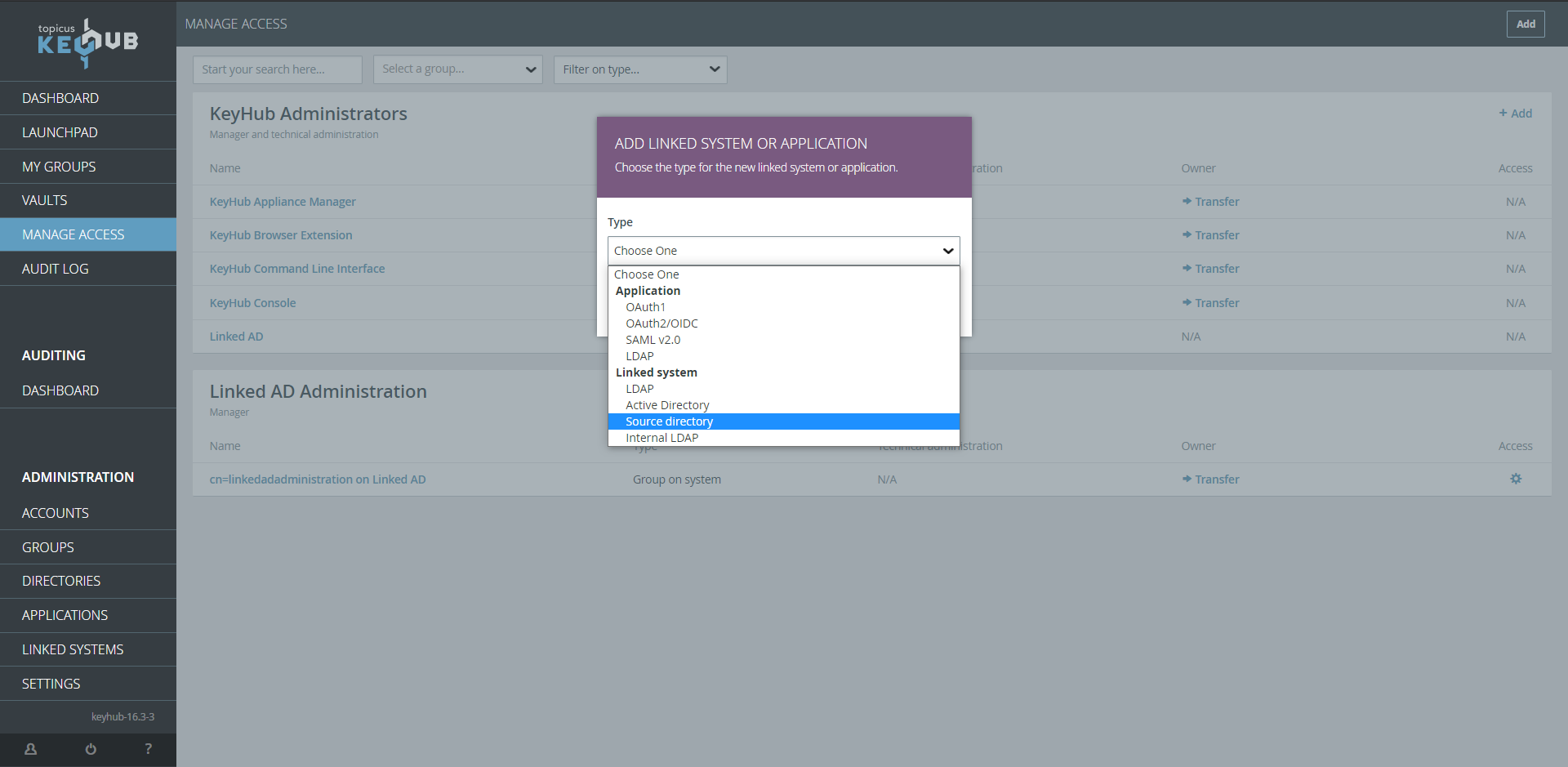
Click Add.
Step 3
-
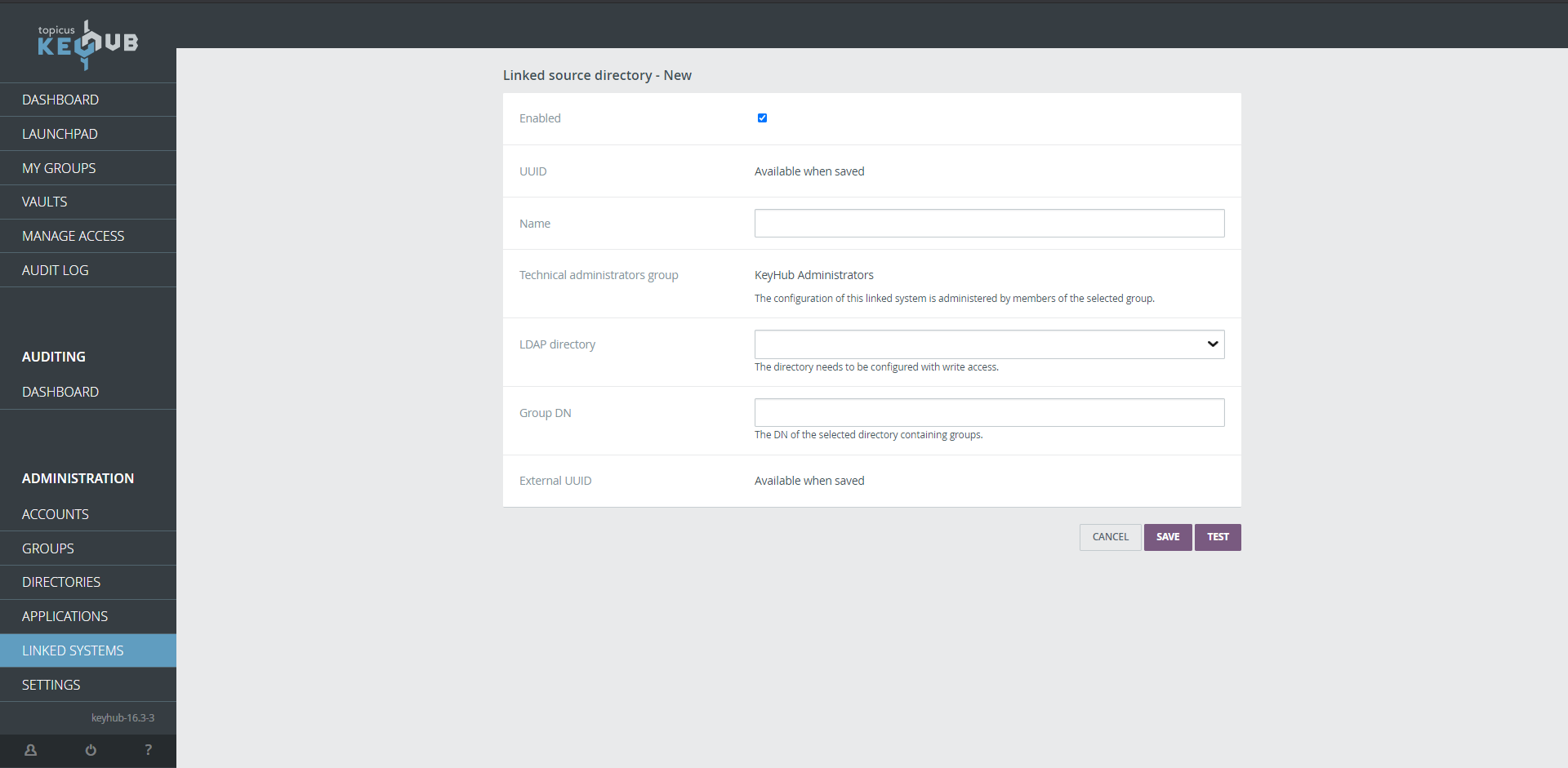
Choose Type: Source Directory.
-
Click NEXT.
Step 4
-
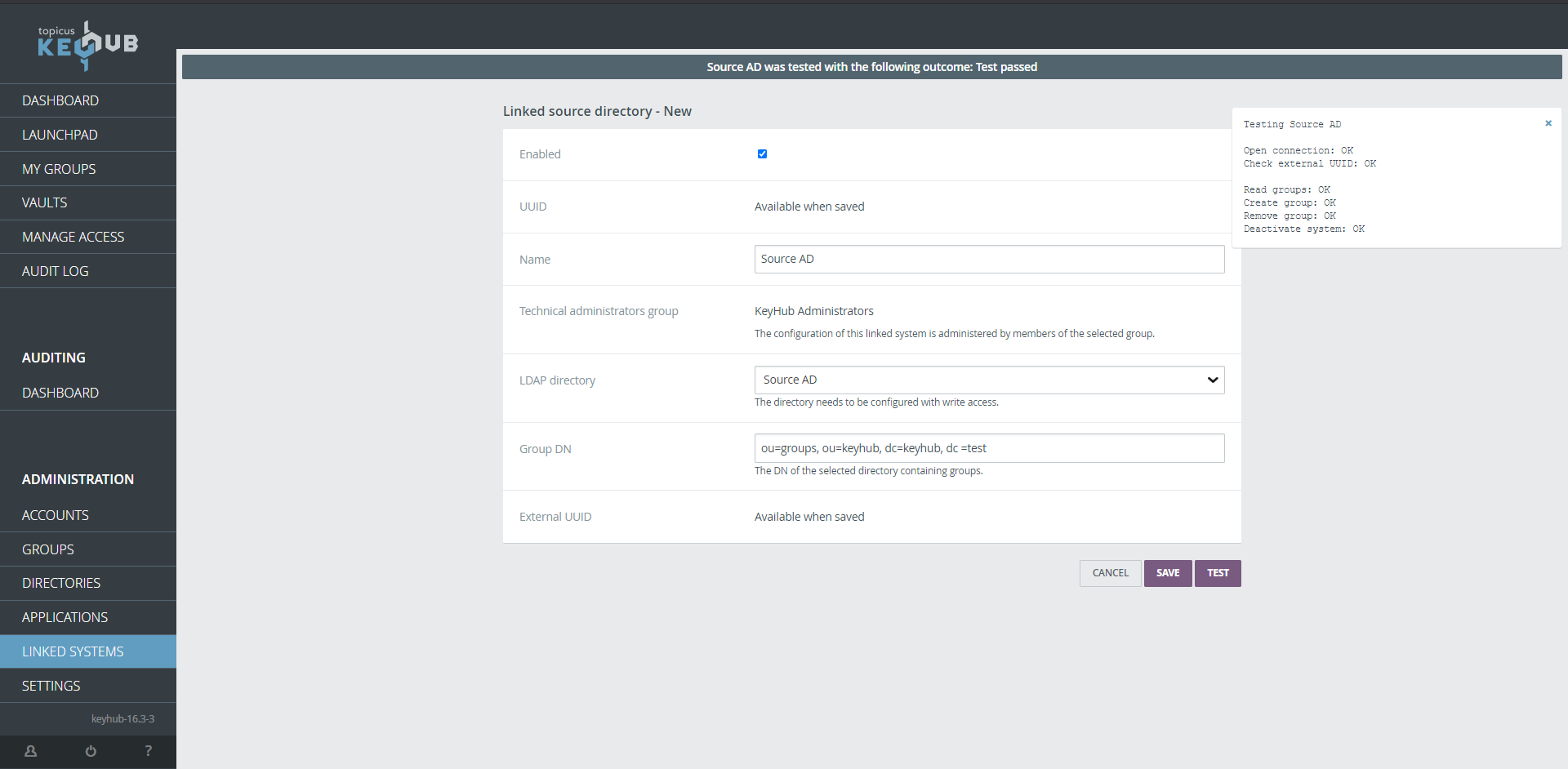
Choose a name.
-
Select your Source Directory.
-
Give the location of the OU in the Source Directory where your groups are stored.
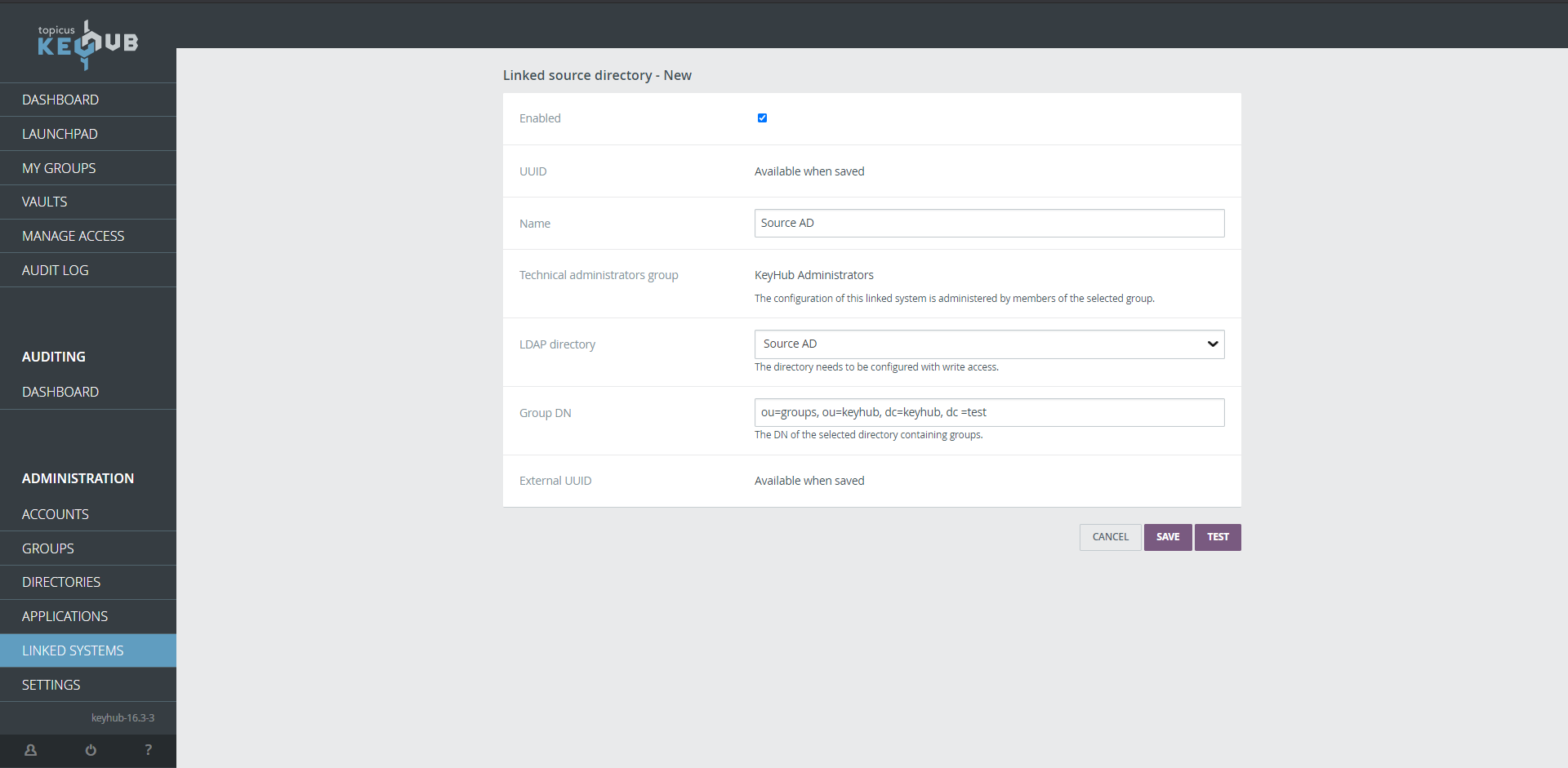
| It’s a good idea to use a new OU. |
Step 5
-
Click TEST.
-
Click SAVE.
Step 6
-
Done. Your linked Source Directory is ready for use.
| To provision users to a group on the Source Directory you need to link it to a group in KeyHub. See how here. |